
Survey metadata, from questionnaire to archive
Design the questionnaire once in DDI Lifecycle, generate the Blaise 5 instrument from it, and publish the documentation from the same source.
Request a working session Download the handout (PDF)
Now integrated with Blaise 5. Colectica is also the official Blaise licensor for the United States.
Two products, one metadata model
Both are built on DDI Lifecycle, so what you design is what you field, and what you field is what you document.
Blaise Colectica Questionnaires
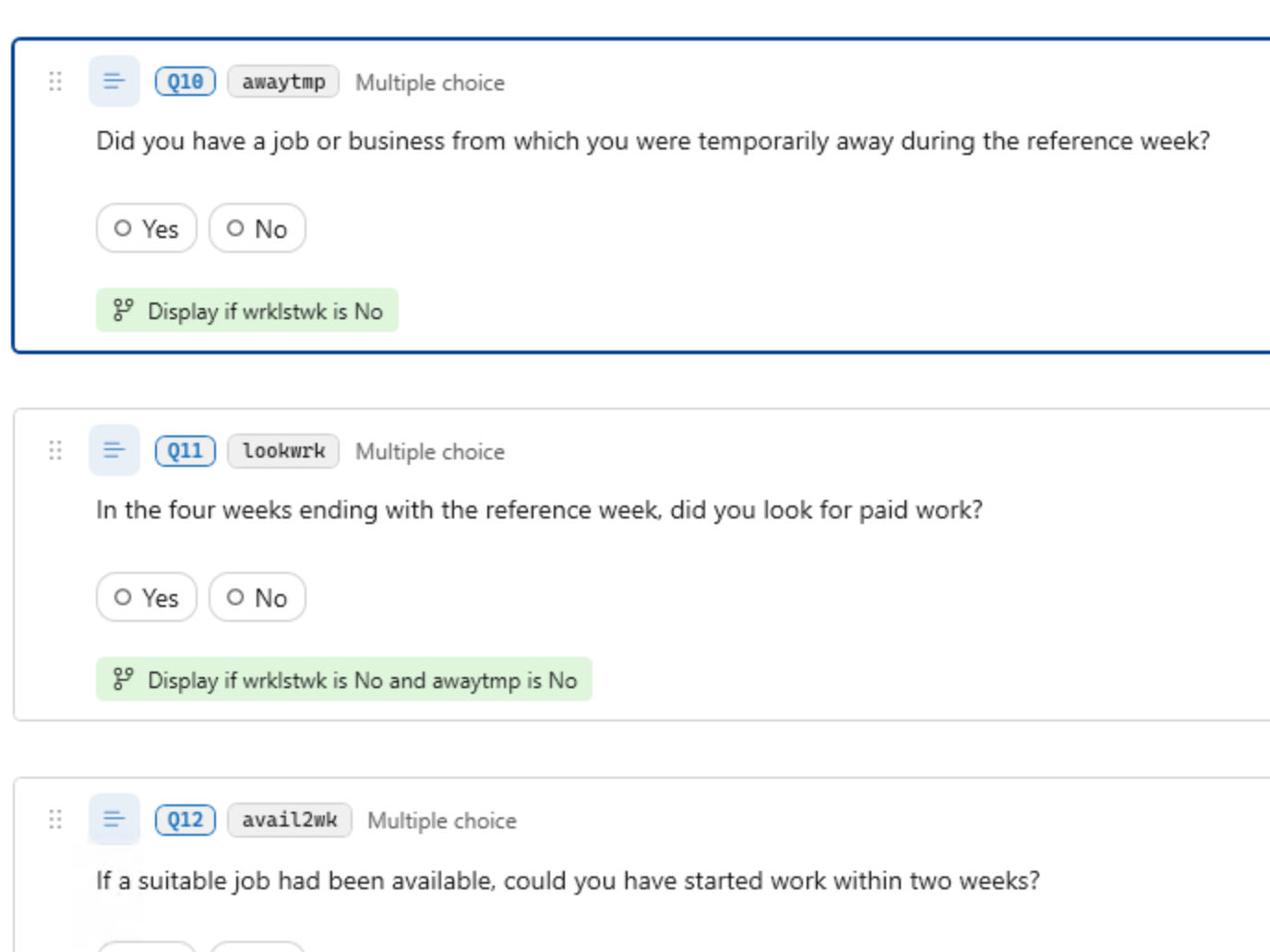
Author questions, routing, code lists, fills, and edit checks on a visual canvas, test them in a live preview, and generate a Blaise 5 project from the same DDI items.
- Identified, versioned DDI Lifecycle items, not Word documents
- Reuse questions and whole sections from a shared question bank
- Every string translated once, used by the instrument, the paper form, and the specification
Colectica Repository
The system of record for every study, instrument, question, variable, and code list, with lineage from the question asked to the variable delivered.
- Web portal with variable-level search across studies, question in context, and concordance across waves
- Full version history and comparison for every item, with comments and a publication workflow
- REST API and OAI-PMH in DDI Lifecycle 3.3 and Dublin Core, so holdings are harvestable
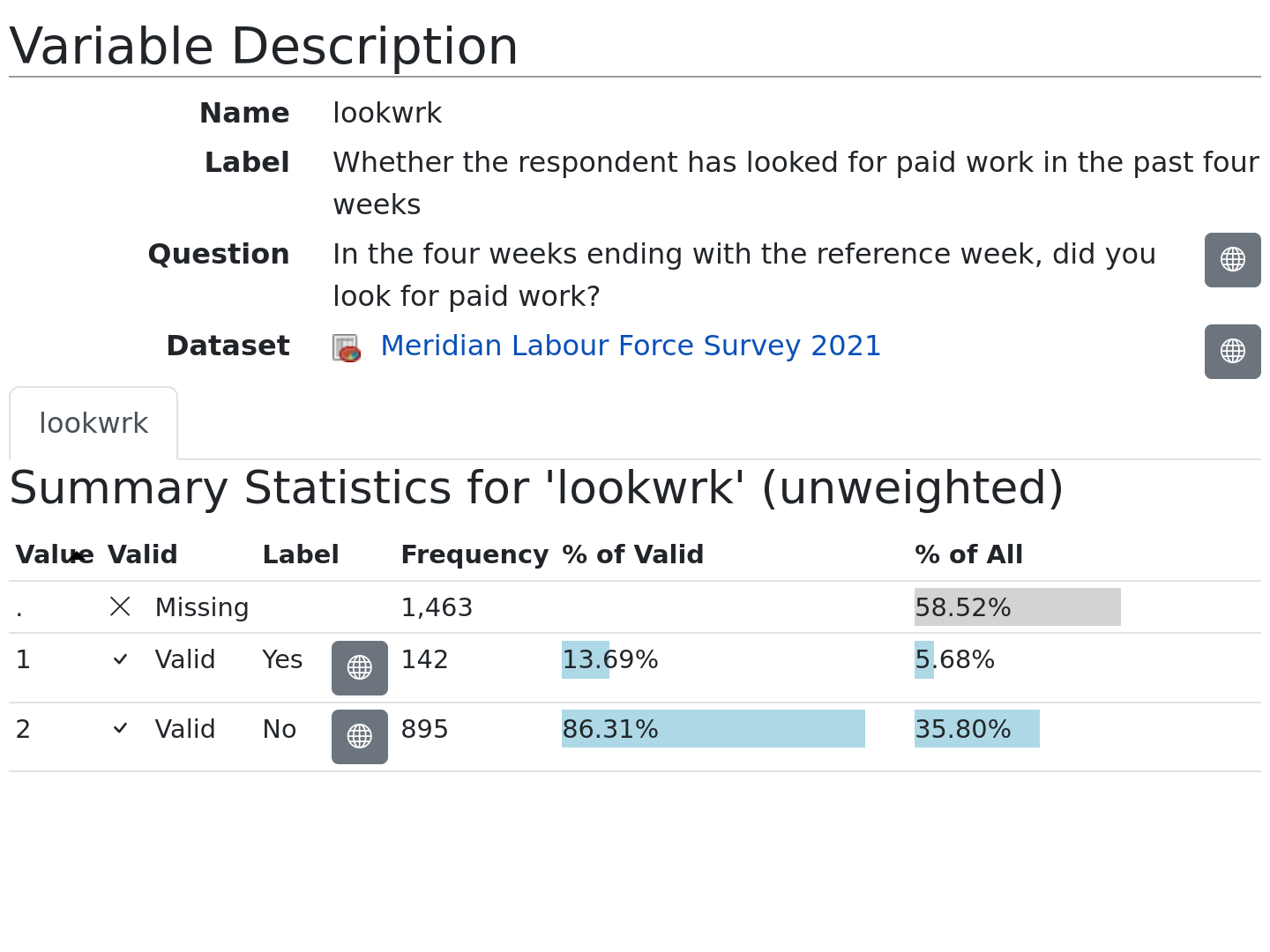
One questionnaire. Designed, fielded, documented.
Colectica generates the Blaise 5 instrument from the DDI design and publishes the documentation from the same items, so the questionnaire in the field and the questionnaire you document are the same one.
Design in Colectica
Questions, routing, code lists, fills, and edit checks, authored as identified and versioned DDI items.
Field in Blaise
Generate a Blaise 5 project, compile it, and launch it in the Data Entry Program from one dialog. To change the instrument, change the design and generate again.
Publish from Repository
The dataset description is generated from the instrument, so every variable carries its question text, response options, universe, and routing.
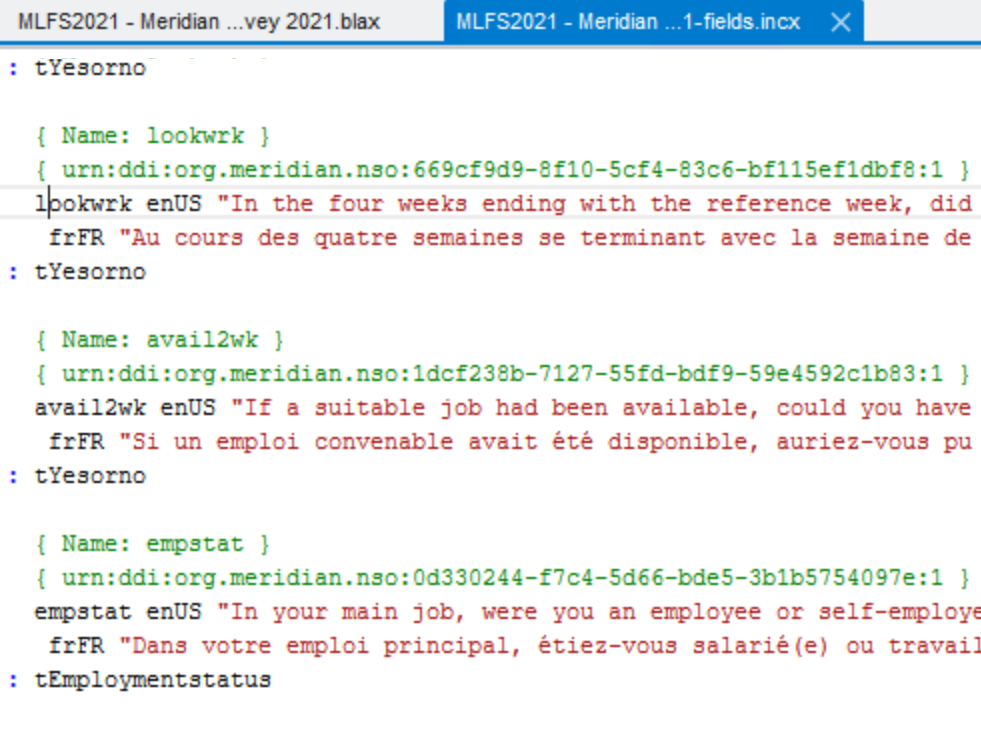
Generated Blaise 5 source. Each field carries the DDI identifier of the question it came from.
Why it matters
Nothing is re-keyed between specification, instrument, and codebook. Because the Blaise data model and the documentation come from the same items, the wording, code lists, and routing you publish are the ones that were fielded, in every language, at the version that ran.
Reuse from a question bank
Insert a question or a whole section from a shared repository as a reference. When a newer version is published, every survey that uses it can adopt the change.
Version every change
Each publish records who changed what and why. Compare any two versions of a survey and see the differences question by question.
Multilingual instruments
Translate each string once. The Blaise languages, the paper form, and the published documentation all come from the same translations.
Native Blaise code where you need it
Write a rule or computation in Blaise when the neutral form cannot express it. Field names are substituted per survey, so the code stays reusable.
Meet us at IBUC 2026
Jeremy Iverson and Dan Smith will present What the Instrument Already Knows: Surfacing Blaise Metadata for Documentation and Discovery, on capturing questionnaire metadata once as DDI Lifecycle, generating the Blaise 5 instrument from it, and publishing the documentation from the same source.
Find us during the conference to see the tools with your own instruments, or use the form below to book a time.
Bring a Blaise project. Leave with it documented.
Book a 45-minute working session during the conference or online. We will import your Blaise 5 data model into DDI Lifecycle, publish it to a repository, and show you the documentation and search it produces.
Blaise is a product of Statistics Netherlands (CBS). Questions? Email contact@colectica.com.


