
One Survey Specification. Many Outputs.
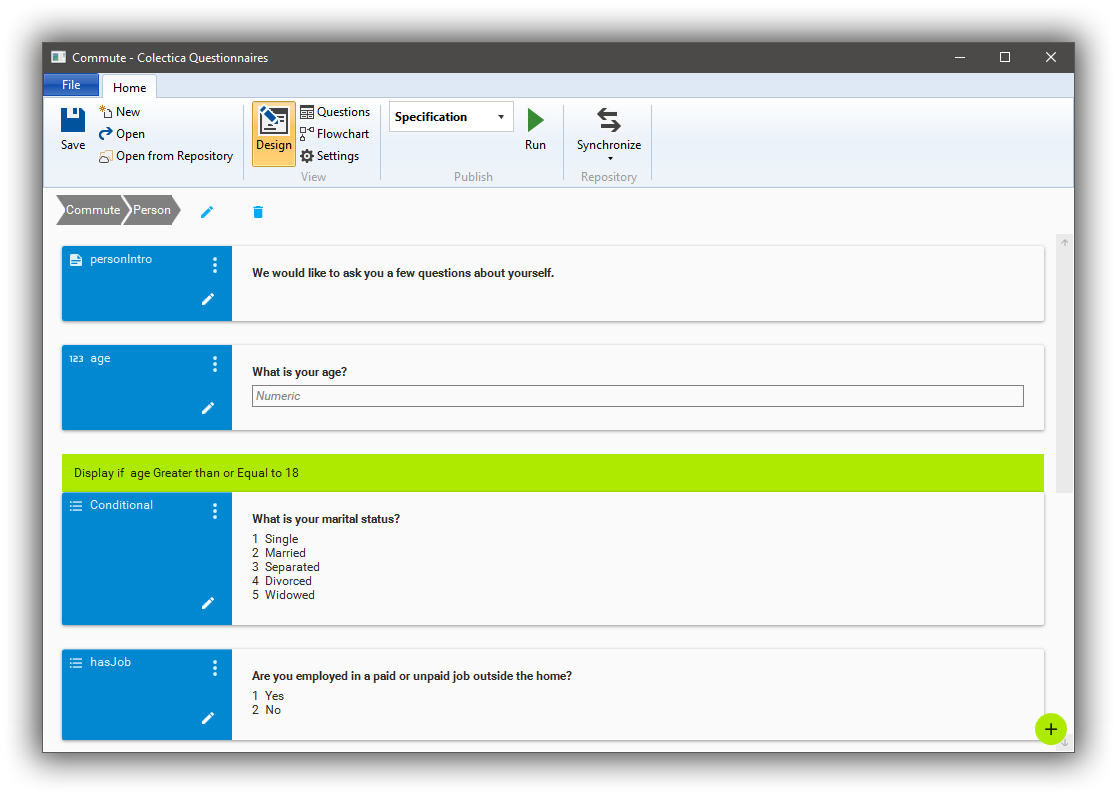
Colectica Questionnaires is a survey specification creator. Surveys designed with Colectica Questionnaires can be published in multiple formats.
Visual Survey Designer
Build surveys with an intuitive user experience. No programming experience required.
Question Banks
Use questions and sequences of questions from question banks and central repositories.
Multiple Outputs
From a single specification, generate PDF specifications, paper forms, Blaise 5 data capture instruments, and standardized XML.
Rapid Design Iterations
Make changes to a survey and test the results in minutes, not days. Get feedback from colleagues. No more exchanging Word documents with inconsistent formatting and information.
Standards Support
Export your data documentation to an XML file in the DDI metadata format, the standard for data documentation. Open and edit it from Colectica Designer, Colectica Express, or other DDI applications.
Link Data to Questions
Colectica also lets you document the data files that result from your surveys. Connect variable descriptions to source questions to provide full data lineage for researchers.
| Colectica Questionnaires | Blaise Colectica Questionnaires | ||
|---|---|---|---|
| Audience | All Survey Creators | Blaise Users | |
Design |
|||
| Visually design surveys | |||
| Display logic | |||
| Add custom metadata | |||
| Advanced response validation | |||
| Multiple language support | |||
Question Banks |
|||
| Reuse questions | |||
| Reuse sequences of questions | |||
Reports |
|||
| Question lists | |||
| Flowchart | |||
Publish |
|||
| PDF specification | |||
| Paper form | |||
| DDI 3.2 XML | |||
| Blaise 5 | |||
Support and licensing |
|||
| Support | Email, Onboarding session | ||
| License | Commercial no custom terms |
Commercial with custom terms |
|
| Pricing | $695 per user per year |
$995 per user per year |
|
| Purchasing | Credit Card Purchase order, bank transfer, check Contact us |
Credit card Purchase order, bank transfer, check Contact us |
|
| Learn more | Contact us | Contact us | |


